Colour Changer: Customize Webpage Colors
Colour Changer is a free Chrome extension developed by Michael Smith that allows users to easily change the color of text and background on any webpage. With this extension, you can customize the appearance of websites to suit your preferences.
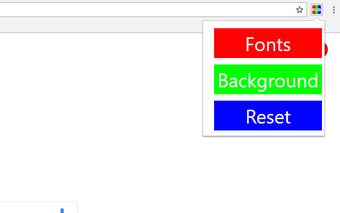
To use Colour Changer, simply click on the extension's symbol located in your browser's toolbar. This will open a drop-down menu with three options: fonts, background, and reset. Clicking on either the font or background option will reveal three sliders representing the RGB values. By adjusting these sliders, you can change the color of the font or background to your liking.
The reset button, located in the drop-down menu, allows you to undo any changes made to the webpage. Please note that using the reset button will refresh the page.
With Colour Changer, you have the freedom to personalize your browsing experience by customizing the colors of any webpage. Give your favorite websites a fresh and unique look with this easy-to-use Chrome extension.